Your team. Your agents. Your data.
One Room.
Invite human experts, connect your own local AI agents, bring in every document and tool — then control exactly who can access what. As easy as creating a group.
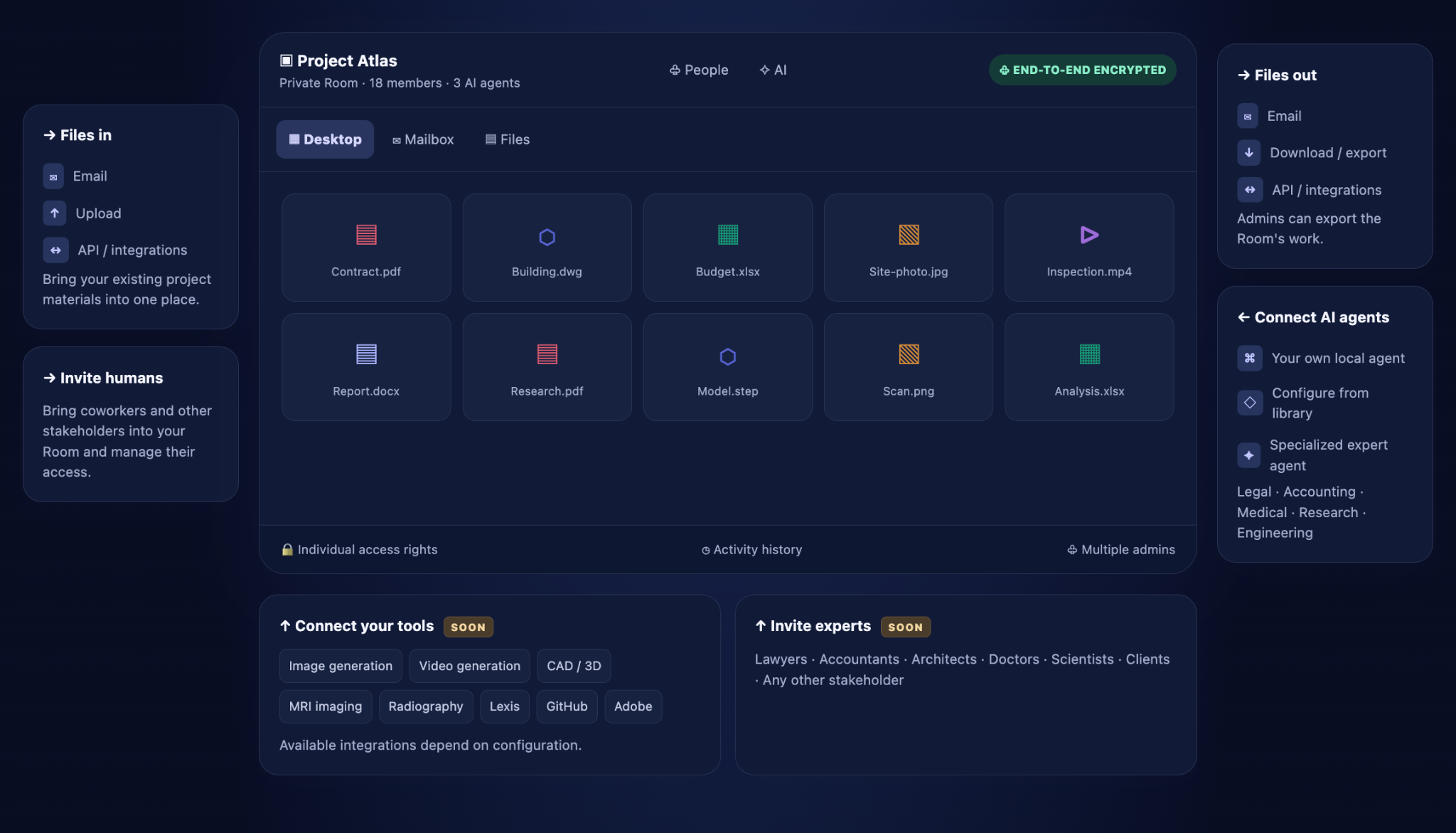
↑ Connect your tools SOON
Available integrations depend on configuration.
↑ Invite experts SOON
Lawyers · Accountants · Architects · Doctors · Scientists · Clients · Any other stakeholder
Your experts, Your AI-agents, Your Data. One controlled space
Your Room is the home for the people, materials and intelligence your project needs.
Human experts
Invite as many relevant professionals and stakeholders as you need. Assign individual rights. Add or remove people at any time.
Your own AI agents
Connect your local, private or specialist agents. Choose what each agent may see, use and do.
All your documents
PDFs, CAD files, Word, Excel, photos, videos, technical documents, research and more — together in one Room.
Hide any document from any stakeholder. Instantly.
Every human and AI agent can have their own rights. Change access without moving files or rebuilding the project. Multiple admins can manage the Room.
Try the switches in this illustrative permissions panel.
Sofia Lee · External expert
Not even the platform creator should be able to read your work.
ROOMZ is built around end-to-end encryption, controlled access and user-managed data. Keep your confidential information inside a private professional space.
Public security claims should be supported by the production key-management and deletion architecture.
🔐 End-to-end encryption
Protect Room content against provider access.
↓ Export all your work
Admins can take the Room's work with them.
⌫ Delete the Room
Admins control when the Room is removed.
As easy as creating a WhatsApp group. Built for much more.
Create a Room
Name the project and choose your admins.
Invite experts
Add lawyers, doctors, researchers, clients and partners.
Bring your files
Upload PDFs, CADs, Office documents, images and video.
Connect your AI
Add your own local and specialist AI agents.
Manage rights
Decide who can see, download, edit and work with each resource.
Export or delete
Take your work with you and end the Room on your terms.
Your people. Your documents. Your AI. Your Room.
Everything together. Every stakeholder controlled. Your information stays yours.
Request a demo →